Diphony records your microphone and your Mac's audio as two separate tracks, then transcribes them on your machine. Attribution stops being a guess.
macOS 15 or later · Apple silicon and Intel · coming to the Mac App Store
How it works
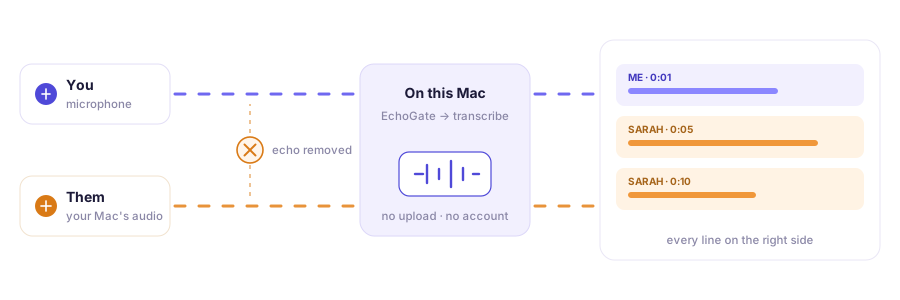
Your voice comes in through the microphone. Their voice comes out of your speakers. Diphony keeps those two on separate files from the first second — so knowing who said what is a fact about the recording, not a guess about the sound.
The problem
Most tools capture the call as a single mixed track, then work backwards to guess who said what from the sound of the voices. That holds until someone speaks quietly, until two voices are similar, until people talk over each other — which is most meetings.
What you get
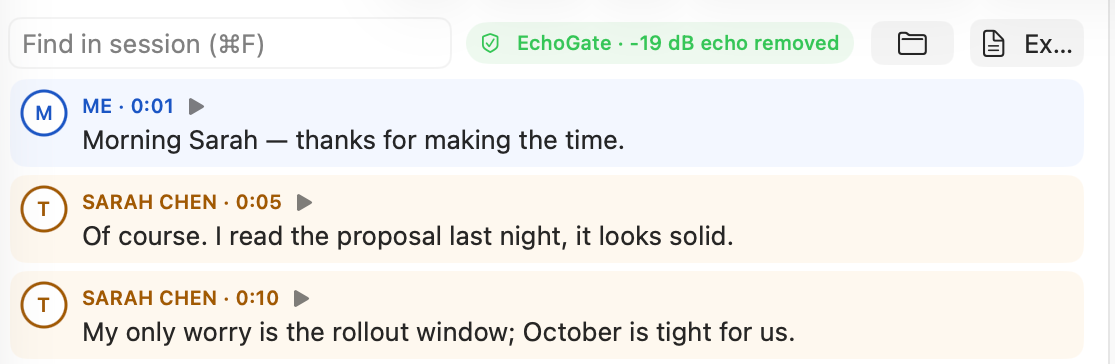
Open a session and click any sentence to play exactly that moment. Press play at the bottom for the whole call — the highlight follows the audio as it moves, so you never lose your place.
⌘F searches inside the open session
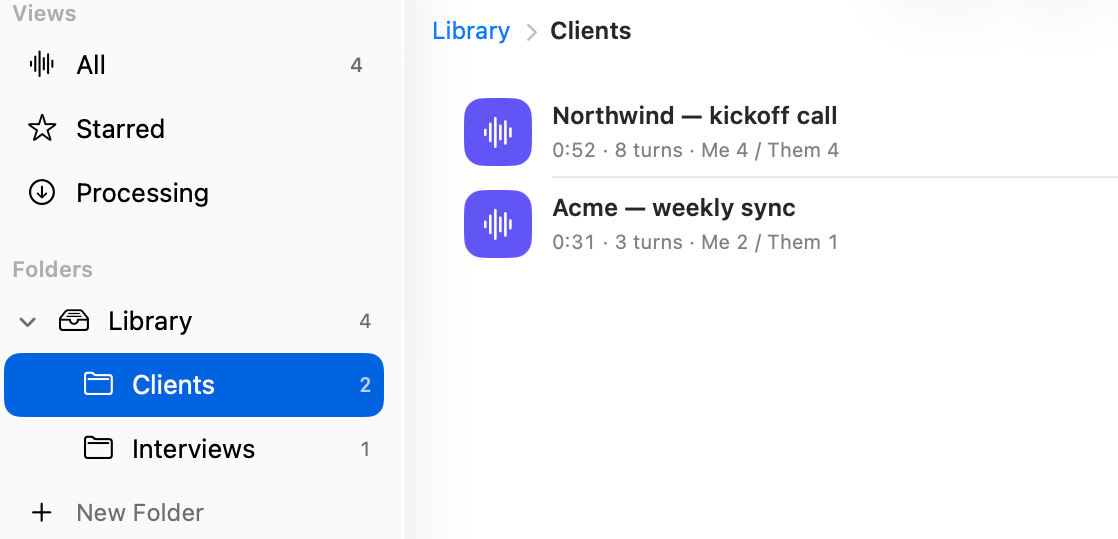
Drag sessions into folders, select several and move them at once, star what matters, and undo any of it with a keystroke. Name the other speaker once and it sticks — on every line and in every export.
⌘⇧N new folder · ⌘Z undo a move
Privacy
Recording and transcription both run locally. Every session is an ordinary folder on your disk — two audio files and the transcript — in a location you choose. There is no server to upload to, no account to create, and nothing for us to look at.
Details in the Privacy Policy.
Pricing
Every feature is unlocked on the free plan. The only limit is how much you record — and sessions you already made stay yours forever.
no account, no card
try it free for 3 days
pay once, yours forever
Both Pro options unlock exactly the same thing — pick whichever way of paying you prefer.
Prices in USD; the App Store charges in your local currency. Subscriptions renew automatically unless cancelled at least 24 hours before the period ends — see the Terms of Use.
The details
Questions
Yes. Diphony records whatever plays through your Mac's audio, so it does not care which app the call is in. It never joins or dials a call itself — it listens to your own machine.
Often yes. Recording a conversation may require the consent of the other participants, and the rules differ by country and by state. Diphony gives you the tool; obtaining permission is your responsibility.
It stops on its own, and the part already recorded is kept and transcribed — you never lose what was captured. Pro removes both the daily count and the length limit.
In a folder you choose, shown in Settings. Each session is a plain folder holding the two audio files and the transcript. Delete it in the app or in Finder and it is gone.
Only the first time, to download the speech model. After that transcription runs entirely offline on your Mac.
English. The on-device model is English-only for now.
Free to start — two sessions a day, every feature unlocked, nothing to sign up for.
Get Diphony — freemacOS 15 or later · coming to the Mac App Store